Deposited Ondo and xStocks tokens on Binance can only be held or converted to bStocks
Yes, but only for the four US stocks Binance names: Tesla, MicroStrategy, Coinbase and Circle. For each one it accepts the Ondo version on Ethereum and on BSC, plus the xStocks version on Solana, which makes 12 token-and-network combinations in all. Other third-party stock tokens are not supported for now, and Binance says the list will be expanded over time.
Once in your Binance Spot Account, these tokens cannot be traded on spot. They can only be held, or converted into the matching bStocks by choosing “Convert Now” on the deposit details page, so selling on Binance means converting first. The conversion is 1:1 with no fee, up to a daily limit for each user.
The 12 tokens and networks Binance accepts for deposit
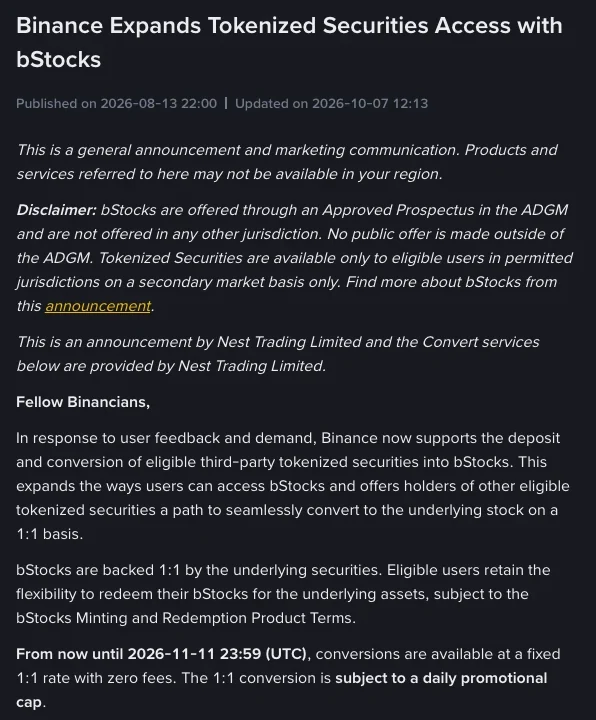
A ticker ending in “on” comes from Ondo. One ending in “x” is an xStocks token, issued by Backed Assets (JE) Limited, a company in Jersey. The combinations opened in Binance's announcement Binance Expands Tokenized Securities Access with bStocks are:
| Stock | Ondo · Ethereum | Ondo · BSC | xStocks · Solana |
|---|---|---|---|
| Tesla | TSLAon (ETH) | TSLAon (BSC) | TSLAx (SOL) |
| MicroStrategy | MSTRon (ETH) | MSTRon (BSC) | MSTRx (SOL) |
| Coinbase | COINon (ETH) | COINon (BSC) | COINx (SOL) |
| Circle | CRCLon (ETH) | CRCLon (BSC) | CRCLx (SOL) |
Ondo's documentation says its stock tokens exist on Ethereum, BNB Chain and Solana. Binance, though, accepts the Ondo versions only on Ethereum and BSC, and on Solana it takes the xStocks versions instead. TSLAon on Solana is therefore not on the list.
Deposit and conversion are open for these 12 combinations only, so don't send any token or network outside the table to a Binance address. Get the deposit address from Binance's deposit page when you are ready to send, pick the network that matches the table, and never copy a contract address or deposit address from a third-party page.
What can deposited TSLAon or TSLAx do on Binance?
Apart from holding them, the only option is converting into the matching bStocks. The uses open up after that, since bStocks can be traded on Binance around the clock, withdrawn to a Web3 wallet of your own, or redeemed for the underlying stock.
Before you tap “Convert Now”, be clear about what you are giving up. bStocks and the other tokenized securities eligible for conversion are different products, with different legal structures, economic entitlements and risk profiles. Converting moves you from one product into another, which changes more than the format.
bStocks are offered through a prospectus approved in Abu Dhabi Global Market (ADGM). They are not stocks or shares, and holding them does not mean directly owning shares in the listed company. Ondo describes its own stock tokens in a similar way: they give economic exposure to the underlying asset without direct ownership.
Eligibility has to be settled first, too. Tokenized securities are offered only to eligible users in permitted jurisdictions, on a secondary-market basis only, and it is up to you to make sure that accessing and trading them is lawful where you are.
Steps to deposit from an external wallet and convert to bStocks
- Check the token name and the network against the table above, and go ahead only when both are on the list.
- Get the deposit address for that token on Binance, choose the same network as in the table, and send from your external wallet to your Binance Spot Account.
- Once the deposit arrives, open its details page and choose “Convert Now” to receive the matching bStocks.
- Keep the bStocks on Binance to trade, or withdraw them to a BSC-compatible wallet.
Fee-free 1:1 conversion within a daily cap runs until November 11 (UTC)
The announcement sets the end of the 1:1, zero-fee conversion at 23:59 UTC on November 11, 2026, which is 07:59 on November 12 in UTC+8. The deadline has already been pushed back three times; the first two extensions moved it to September 11 and then October 11, each at 23:59 UTC.
The 1:1 conversion is subject to a daily promotional cap. A per-user daily limit applies, and the current figure is shown on the Convert page. If you hold a large amount, check that limit on the Convert page before you start.
Whether conversions stay 1:1 and fee-free after November 11 is not stated: the announcement only runs to that date, and Binance reserves the right to modify or end the campaign at any time. If you plan to convert close to the deadline, look at the announcement again for updates first.
Limits on moving bStocks into and out of Binance
Can bStocks in my wallet be deposited back to Binance from Ethereum or Solana?
Not on those chains. Binance currently supports bStocks deposits only on BNB Smart Chain (BSC), so when you deposit bStocks from an external wallet, choose the BSC network to avoid losing funds. That is where they differ from the Ondo and xStocks stock tokens, which can be deposited from Ethereum or Solana as long as they are on the list.
Can bStocks be frozen after I withdraw them to my own wallet?
The issuer keeps that right: if activity at a wallet address may breach applicable laws, rules, regulations or sanctions, the issuer may, at its discretion, add the address to the smart-contract blacklist, and a blacklisted address can no longer transact in the bStock token. bStocks are BEP-20 tokens and can be withdrawn to a BSC-compatible wallet for self-custody, but transfers stay subject to transfer restrictions, sanctions screening, eligibility rules and similar conditions.
Once TSLAon is converted to bStocks, can it become actual Tesla shares?
bStocks can be redeemed 1:1 for the underlying stock with no fee. Redemption is open only to eligible users and is governed by the bStocks Minting and Redemption Product Terms. To turn bStocks back into a stock position in your Binance account, you first need to open a stock account and accept the relevant terms.